Showing posts with label Consulting. Show all posts

Wednesday, October 19, 2011

iCloud and iCal part two...

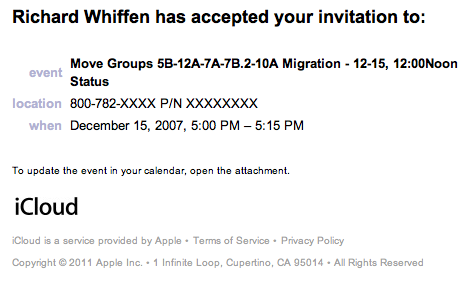
Well, still no traction on why iCloud spammed former clients with appointment accepts. I did get an email from Ed K. who seems to have the same problem and like me can find little or no information on it. If you're iCloud is accepting old appointments, pile on a discussion thread I started: https://discussions.apple.com/thread/3411914 and maybe we'll get some traction that way.


This is the real danger of the cloud. All of the forensic data I would normally use to track these kind of issues down are not available to me. The cloud owns them and they are not going to be forthcoming with information about errors and outages. I think that's an interesting aspect of cloud computing that is worth some discussion. Security in the cloud is an issue for a lot of people because it's very difficult to know who truly can access your data. I think it becomes even worse if someone does get your data and you need forensic data to track it down. For example if you are a new start-up and have some super-secret and valuable information that is stolen via the cloud, would Amazon give you all the information you would need to track the perpetrators down? Just because it's valuable to you, doesn't mean it has the same value to Amazon.   


As an aside, my choice of Amazon isn't meant to imply that they would or would not behave badly in that senario, just talking in hypotheticals.


Monday, October 17, 2011

iCloud and iCal accepting old appointments :-(

So Friday I received a bunch of out of office replies from former Co-workers who I did not email. Uh oh, some virus/malware is running somewhere. Panic level went to 11. Continued to sort through them, and a few were direct replies. I read them and Ed and Brian are asking me why I'm accepting appointments for meetings that have already past. Oh boy, this is going to be hard to track down. It could be a phone based malware, Mac/PC or an epic hack in the cloud.

Oh, did I mention I had just upgraded to iOS 5 and Mac OS X 10.7.2? Yup, sure did. Wasn't able to migrate my MobleMe stuff because the servers were too busy (which is a topic for another rant, since this problem has been solved in the industry multiple ways). So the iCloud transition has none of the fit and finish that I was expecting. Especially considering how bad MobileMe was. Even .Mac was better then MobileMe and .Mac couldn't sync for beans (again another problem that had been solved numerous ways yet ignored). Steve Jobs was supposedly personally involved with iCloud because if is tremendous dissatisfaction with MobileMe and it's reliability. Well they must not have fired the right people because iCloud has been a bumpier ride than MobileMe for me personally.

So back to my 'malware' problem. My Malware goes by the name iCloud. So when I converted my AppleStore account to iCloud (which is another problem I now have two iclouds and can't merge them) it took my home and work calendars into the iCloud. When doing so it went and accepted (and sent responses) to meetings that have already occurred. In 2007. Yup, I'm accepting 3 and 4 year old meetings that I already attended. This seems like a catchable senario to me. What possible reason for accepting a meeting that's already passed could their be? I would concede that there might be a need to accept an appointment that's up to a week old for some kind of tracking/verification purposes, but 3 years?

Icloud calendar

A bunch of googling didn't turn up others with this problem, so maybe there's something unique to how I did it. I took events from my GoogleApps email and accepted them on my .Mac enabled Laptop. I'm actually quite disappointed that iCloud dared to communicate on my behalf with out asking me. I should have been given the option to not send a response like I am with other well behaved calendar apps. I have a few more computers to upgrade. We'll see if I accept more phantom appointments. Oh well, another year, another disappointment with the Minnesota Vikings and Apple's cloud services.


Tuesday, July 26, 2011

Canon printer errors from Mac OS X (10.6 and 10.7)

Occasionally when printing to our Canon iR C3080 from Mac OS X 10.6 (Snow Leopard) or 10.7 (Lion) we get the following error:

Cannot continue printing because an error occurred. To continue printing, select [Raster Mode] in [Quality]-[Quality Settings]-[Graphics Mode].: 15920

Google wasn't immediately helpful, so I pieced a few things together and wanted to write them down so I can remember how I fixed it if/when it happens again.

First, We're running the canon UFRII v2.21 drivers from the canon website, so start there if you're not running the specific drivers. Next, you must have admin privileges on your Mac to make the changes I'm about to describe.

Start by going to the CUPS home page: http://localhost:631/

From here you can find out all kinds of interesting things that the system preferences app hides from you. From there, we need to go to the Printers Page. Click the Printers tab on the top of the web page. (http://localhost:631/printers/). In this screen we click on the canon iR printer we need to fix.

Screen shot 2011 07 26 at 111649 am

In my case it's canon.streamsage.com. In the page that follows there is a drop down for "Administration". In that menu we need to select "Set Default Options". On that page we need to set the "General" options by clicking the General link.

Screen shot 2011 07 26 at 112550 am

We need to scroll down a bit on this page to find the "Graphics" option the original error complained about.

Screen shot 2011 07 26 at 112651 am

And set that to Raster Mode. You have to scroll to the bottom of the list of options and click the "Set Default Options" button. It should then prompt you for the admin password. Enter it and you're all set.


Friday, November 19, 2010

More splunk fun...

I've started setting up summary indexes. I take results and put them in a second index for reporting. First you have to create the new index, mine's called "dashboard_summarize". It will require a restart of splunk, just so you know. Next up, the ugly query:


search = host="srchqenmana*" (source="/usr/local/tvs/apache-tomcat/logs/qlogger/*" NOT source="*.gz") "<A9_Request" AND NOT ("FFFFFFFFFFFF" OR "000013ED3AEB" OR "Agent.007") | lookup Market_by_Controller_ID Controller_ID as Controller_ID OUTPUT Market as Market | eval QueryFirstTwo=substr(TextQuery,1,2) | transaction MAC, QueryFirstTwo maxspan=5m maxpause=1m delim="," mvlist=TextQuery | eval LastQuery=mvindex(TextQuery, -1) | fillnull value=0 forward | eval MAC="costtimequalityscope".MAC | eval MAC=md5(MAC)|stats count(LastQuery) as QueryCount by LastQuery, Market, Controller_ID, StreamingServerID, forward | fields QueryCount LastQuery Controller_ID StreamingServerID Market forward |collect addtime=true index=dashboard_summarize


Yikes! Lets break that down a bit. First up we have the sifting portion of the query. Basically search terms that rule data pieces in our out:

host="srchqenmana*" (source="/usr/local/tvs/apache-tomcat/logs/qlogger/*" NOT source="*.gz") "<A9_Request" AND NOT ("FFFFFFFFFFFF" OR "000013ED3AEB" OR "Agent.007")

Next up we have some data lookups. We take the numerical ControllerID and map that to a human readable market name like 'Salt Lake' or 'Bucks County'.

lookup Market_by_Controller_ID Controller_ID as Controller_ID OUTPUT Market as Market
Next we start doing calculations, conversions and transformations of the data. We'll stanza by stanza this part:

eval QueryFirstTwo=substr(TextQuery,1,2)

Eval a field called 'QueryFirstTwo' to the first two letters of the string TextQuery using the substr function

transaction MAC, QueryFirstTwo maxspan=5m maxpause=1m delim="," mvlist=TextQuery

This little gem is a beauty. I wish I could take credit for what the Splunk consultant did there. Basically we define what a single user search is here by defining what a transaction is.. We do not count just the simple submission of a request, because we do live updating of search results after two letters. So if you were searching for the show HOUSE, with live updating you would make a request for HO, HOU, HOUS, HOUSE at every key press. That's great if your just measuring raw throughput, not not a valuable business data point. If everyone is searching for a really long search terms like SUPERNATURAL your usage stats would be skewed. So we roll those up into a single transaction by setting some parameters. First, we time box it at 5 minutes. Second we only allow for a 1 minute pause. Sure there are edge cases where you may exceed either of these time boundaries but it should be a wash over all. Further the MAC address and the first two letters of the search must also be the same. This lets us have typos later on. So if you did HOUU the HOUS because HO would match, it's still in the same transaction. And the last little bit, mvlist=TextQuery says to make a multi-value (or array) of TextQuery values used in this transaction. In my example the list would have ("HO", "HOU", "HOUS","HOUSE"). This comes up in our next stanza.
eval LastQuery=mvindex(TextQuery, -1)

If you look up mvindex and it's syntax, you see that we're setting the field LastQuery to the last entry in the list. In my example, LastQuery=HOUSE. Side note: the page linked for mvindex is titled 'Common Eval Functions' according to the URL. I'd hate to see the uncommon ones.
fillnull value=0 forward | eval MAC="salted".MAC | eval MAC=md5(MAC)

I'm grouping the next three stanza's together because they're doing similar things. If the field named "forward" is null, set it to zero. Next we add a salt to the MAC address to obscure/anonymize it. The MAC (much like an IP address), while not directly identifying an individual is sensitive just the same, and needs to be hidden, so first we add the string salted to the current value of MAC. Think of this like a password or key. Next we convert the string+MAC value to the MD5 HASH of that string. So 000013ED3AEB becomes salted000013ED3AEB which becomes ce431f1c1a634337ca1cdcde78a1d15f. Now if someone knows someone's MAC address and does echo -n "000013ED3AEB" | md5sum to try and figure out their new obscured value, they can't because they don't know the SALT. And because the salt can be of arbitrary length, brute force isn't effective. So it's reasonably protected if for some reason the data needs to be shared with non-trusted parties.

stats count(LastQuery) as QueryCount by LastQuery, Market, Controller_ID, StreamingServerID, forward, MAC
This one is fairly straight forward. Get the number of times the search term was searched, organized by Market (which we looked up in a table before) and Controller_ID, StreamingServerID, and the value of forward (which are app specific fields that only has meaning to us) The why of this is coming up.
fields QueryCount LastQuery Controller_ID StreamingServerID Market forward, MAC

Next we want to take the fields listed above and output them in the search results (why is next).
collect addtime=true index=dashboard_summary

Lastly, we collect this data and store it into an index called 'dashboard_summary'. What we're doing is making a roll-up of searches and weeding out all the cruft that isn't needed to make the reports or dashboards. Further because we've scrubbed sensitive data, we now can let a larger audience view the data by giving them only permissions to this new index. Because the index is lean and mean, dashboards and reports are several orders of magnitude faster than going against the raw data. Further we've pre-paid a lot of calculation expense with the eval's and transaction logic.  
Now I have an index to do my reporting out of that's much faster than the raw queries against all the data.

Thursday, November 18, 2010

Working with Splunk

I've been doing a lot of work with Splunk lately. Splunk is a powerful and flexible indexing tool. It slurps up log files and data and makes them searchable. I think the real power of Splunk over a lot of other log management and searching tools is it's ability to search across multiple servers for the same time period. Another powerful feature is it's ability to do field extraction. So when a log file says "IP_Address=10.11.12.13" you can do field related searches like "AND IP_Address=10.11.12.13" or more powerfully "NOT IP_Address=10.11.*"


Fields are where I'm spending a lot of my time lately. In our current search and discovery platform we have lots of fields with interesting values from people making search requests. We have values such as channelmap, controllerID, MAC, TextQuery and a few other interesting values. Because we have these interesting field values and Splunk extracts them for us, we can generate very interesting usage reports. Such as number of unique users, users per market, etc. And because we have a relatively closed set of users, we can produce interesting numbers like the percentage of users our platform. Powerful stuff.


Anyway, I hope to write up some of my more interesting uses of splunk in the future.


Thursday, December 31, 2009

Getting there from here

I've started this rambling post four or five times. Deleted it every time. So I've decided to take a different tact. Rather than writing a long post that says everything, I'm going to write pieces of it. This way I'll actually get something written. As the Japanese proverb goes "Vision without action is a daydream. Action without vision is a nightmare.” All too often I've run into folks who are long on vision but short on action. A few times I've been in organizations that are restructuring to better cope with the current environment. The ever present 're-org'. One of those was the transformation into a service delivery organization. Which was a good idea and there was good vision behind it. The action is where the idea died and cost people their jobs.

I've had this picture hanging around for a few years. I stole it from an issue of eWeek. It was from one of those articles that is really nothing more than a advertisement in essay form.
Cci00001

This picture does a pretty good job at explaining what I mean. Although it's not the 'buzz word' it used to be, being a 'service based organization' was the goal of a lot of IT organizations. On paper it looks great. It can be an effective way to run an organization. Unfortunately the trick is getting from where you are to where you want to be. It's been all to common for organizations to 'green field' the new way of doing things and make a sweeping change to transform into the desired structure in the shortest possible time frame. And it's usually a disaster for the first two quarters. There's a lot of uncertainty on how things get done or who does them. Process bottlenecks creep up everywhere. There's inconsistency in implementation between teams. And while all of this is going on, real work needs to get done to keep the business going. After a while people start to revert to the old way of doing things or a hodge-podge in between the old and new.


The step that gets missed is the transition and how much transition can be achieved in one fell swoop. If you're currently a 'turmoil' or 'reactive' organization and you want to be a service-based organization, it's unrealistic to jump right to the end state. With out learning the lessons that come with being reactive, it's difficult to be proactive. If an organization doesn't have a solid proactive foundation, it can never be service based. Worse yet, there are budgetary considerations that go along with crossing over from one level to another. Software and hardware tools are often needed to achieve the desired state. Although often over looked in the planning stages, it's possible to make up that budgetary gap. Another gap that's overlooked is the people side of things. I have never seen an organization budget staff time and overhead to these types of changes. It's always expected to be done in the margins after a one or two hour 'training course' that typically just reads the new process aloud to everyone in attendance. No attention is paid to how to get the staff to the end goal. No real-world examples provided for how things should work. No governing authority to turn to for guidance. No one to find parts of the organization that our floundering in the new process/structure and pitch in and help them through it. Proud in their new organizational structure and plan, leadership pass it down the chain, with implementation left as an exercise to the reader.


So as I try to manage my team, I've tried to utilize some of the failure lessons I've learned. I don't make broad sweeping changes if avoidable. There always needs to be a balance of course, you don't want to make hundreds of small course corrections when a few larger ones will be as effective, but I lean towards the smaller changes. I plan in the overhead. If I'm going to add new processes or procedures to my staff's duties, I adjust time expectations accordingly. An example would be our post-mortems on outages. I wanted to change how that was done. It should be a 30 minute meeting, but because people were new to it, the first few where schedule for 60 to 90 minutes and we brought in lunch. Walk everyone through the new process a few times. Going back to the post-mortem example, we talked openly about the process and the actual problem in the same context. Giving people a new process with out a concrete example to work with leaves things to interpretation, and you'll get as many interpretations as you have staff members. By walking through it a few times with everyone they all here the same questions and my answers to those questions. It's not perfect or without flaws, but it seems to be working.


Friday, July 10, 2009

Getting back to linux...

Back in my university days I was all about Linux. My first 'machine' was a 386sx, probably 16Mhz or so and booted of a 5.25" floppy. Having to compile the kernel every time you wanted to make any kind of changes and then 'rawrite' it out of the floppies. And forget about package management (well until slackware for me...) My first 'workstation/server' that I seriously used, scuba.uwsuper.edu, was a 486DX-50 with a Cirix CPU around 1992. I think it might have had 256MB of Ram and a 80gb Segate drive (3.5" form factor no less!). I think some archive.org listings for the web pages I used to host on it are still around, although from near the end of my use of it. http://web.archive.org/web/*/scuba.uwsuper.edu Good times...


Then I moved to the DC area and started working with Sun and AIX hardware. Linux moved to a novelty/side item for me. RedHat, back when you could run it and not pay for it if you didn't want to. I'd have a 2nd PC in my office, mostly to act as my X server for working with the Sun boxes more than anything else. At Convergys and Red Cross, we had linux. A fair bit of it too, but in most cases it was never the 'core' of the product/platform offerings.


Well my current job with StreamSage is primarily a Linux shop, in particular a RedHat shop (Comcast, the corporate parent is a large RedHat customer). So it's been an interesting time getting back into the swing of things. On the one hand, I really like getting back into the linux state of mind. On the other hand, I've really come to appreciate the work that has been done in AIX and Solaris in terms of hardware management, diagnostics and configuration. I mean there are Linux equivalents in a lot of cases and a lot of it is an artifact of the hardware and software being built by the same people but boy, I miss the AIX and Solaris troubleshooting tools.


The unpredictable future and buying hardware...

At my previous clients site, they have some old Sun servers that they are upgrading to M5000's. The hardware they evaluated (and they did very rigorous testing of the hardware) was a T5240, T5440 and M5000. The M5000 was configured with 4 processors not the full 8 that are possible, which is the subject of my post. When choosing the M-series server they decided to go with the M5000 because it would have 2 free slots allowing them to add memory or processors later. So they are trying to protect themselves against a CPU utilization problem down the road by having slots to put additional capacity in. I've been down this road a few times myself. I bought the 880s and 890s with 4 procs just in case we needed the other 4 down the road. Unfortunately most of the time I never needed those slots. and wasted the rack space, power and cooling. In my current clients case they should probably go with the M4000 instead.


On a list price comparison over five years you get:


M4000 $66,380 M5000 $81,880


Maintenance (numbers are swags for platinum pre-paid for 3 years):


M4000 $17,000 M5000 $22,000


I'm typically a Veritas user, so that adds complexity. Last time I looked (a year and a half ago) the M4000 was a tier E and the M5000 was a tier H. So SF for oracle for both would be:


M4000 $4,000 M5000 $9,000


Veritas Maintenance would be somewhere around (swag, 3 years):


M4000 $2,400 M5000 $2,700


The rest a bit of a wash, and brings us to:


M4000 $89,760 M5000 $115,580.


So the M5000 which has two advantages: 4 internal drives (no value unless you're partitioning) and 2 expansion slots (potential future value) has a 28% greater price premium over the M400. The reason engineers like myself make choices like this the unpredictable future. Often times when I'm asked to spec out hardware for an application I'm given initial requirements like 12,000 total users, 300 users concurrently. And if I'm lucky some information about the resource utilization associated with each user session. Most the time it's a shot in the dark however, and have to dig around for similar usage profiles via google and try to work that into my sizing model. But that's relatively straight forward. There's some art and finesse to it but at the end of the day it usually comes down to a derivative formula of X sessions * Y-Mb-per-Session + overhead + wiggle-room = ZGb of memory. Same kind of thing for CPU and I/O. Where it gets hard is when you have to forecast the life of the machine. You're forced to try and pick a machine that will meet the needs of not only year one but years two through four or five as well. When we ask the customer what their growth rate is they'll usually shrug and give a non-answer. Or they'll give you an answer that's based directly on other non-knowable facts like "our user base will increase at the same percentage as our market share". Great. Thanks for that. It's very tempting to just go out and buy the top of the line server to ensure we never get a resource problem. Buy a tour bus when all we need is a passenger van. But when they see the sticker price of that tour bus, we're usually back to the drawing board. That's what makes machines like the M5000 or the 890 it replaced so appealing. It has room for an extra row of seats in case the number of passengers we need increases drastically. Unfortunately you have to pay extra fuel costs to hall that extra space around (maintenances) and there's the up-front acquisition costs as well.


It's all about going back to the well. The reason we over-build or infrastructure this way is because of the difficulty in going back to the well for additional funding. In my work in the non-profit space there's a real risk of that well being dry as well. For example, I could buy the M4000 and then if I have problems in year 2 or 3 I would then do a forklift upgrade to the M5000 (swap the boot disks and away I go). Easy stuff, except I have to actually buy that M5000. Which comes with lots of questions: Why didn't you buy an M5000 from the start? Why were your forecasts wrong? Where do you think we can come up with that kind of money? Collective amnesia will shift all the blame to the people who spec'ed out the system. Blame rolls down hill. It picks up mass and speed as it rolls and engineers are usually at the bottom of the hill with the operations folks (often one and the same). So we buy machines that have that 'extra reserve' built in. In high end servers you can usually turn on the additional capacity by purchasing a license key. But in the mid-to-low end range we're only offered machines with expandability. So if our forecast is off or the conditions change, we're able to bring a lower incremental cost to the table to gain additional performance and capacity. Unfortunately for me however, I have rarely needed that expanded capacity. I can only remember two examples one success, were we added two boards (4 CPUs + memory) to an 890 and one case where they didn't make the versions of the board we currently had in the server which meant we would have had to replace all the boards which would have cost almost as much as replacing the server outright.


I used to be a 'keep something in reserve' kind of engineer. Be able to put the rabbit out of the hat to meet the increased demand that we didn't know was coming. Basically pull of a Montgomery Scott to save the day. By doing so however, I have enabled the behavior that has gotten me here in the first place. By not purchasing the equipment the requirements suggest and adding some reserve "just in case" the cycle repeats itself. Now I'm not going to purchase the minimum needed to meet the requirements given to me (however flawed they may be), but I am going to start putting the decision back on the requesters and have them make the choice. In writing. With as much concurrence as can be achieved from the project team as a whole. So if I were to travel back in time to the period before the aforementioned M5000s were purchased. I would offer the M4000s instead. I would tell them you save X dollars up front. Your downside risk is you may have to replace this server if your usage or growth models are wrong. And, perhaps most importantly, get documented concurrence from the stake holders.


This has turned into a much longer post than I had originally intended... phew. Now onto my next client/project.


Wednesday, June 3, 2009

It's a rough job market, in pictures...

Great blog post today on The O'Reilly Radar. It graphs the number of online job postings month by month for the last four years. I won't steal the pictures here, you'll have to click the link to see them, but it confirms what I've been seeing while doing my job hunting. It looks particularly bad for the folks back home in Minnesota. A slight downward trend, with a slight uptick now. Although I have a feeling it will ramp up a bit more for June and July as more government spending trickles out of the stimulus bill. Personally I went the month of March and April with very little job oportunties. Late April and May it picked up slightly (and I landed a short term contract). Now here in June, no fewer than 5 promising oportunites have come my way. It figures, as soon as I take a long term job (W2, not 1099 or c2c) that other options come out of the woodwork. Extensions and increased hours at me current contract. A data center move with CSC (love those, I'm good at it and it has a set end date). A systems engineering lead with the direct competition of the company I'll be working for on Monday (slightly more senior role to boot... DOH!). A data center manager job... SAN/VMWare engineer... All promising, but I won't be pursuing any of them. I've placed my bets and am going to ride it out for a minimum of 6 months. More likely a year or more. My strategy/thinking there is an idea for another post.


Anyway, good luck out there...


Wednesday, May 27, 2009

I love catching websites with their proverbial pants down...

I love unhandled errors from websites. Today, while submitting my timesheet for the day I received the following:


Microsoft OLE DB Provider for SQL Server error '80040e14'


Incorrect syntax near the keyword 'And'.


/EZM/traddfreets.asp, line 752


It tells me that I'll always have a job in the future. I waited a few minutes and then tried to re-submit my time and got:


Microsoft OLE DB Provider for SQL Server error '80040e21'


Multiple-step OLE DB operation generated errors. Check each OLE DB status value, if available. No work was done.


/EZM/traddfreets.asp, line 563


These, in particular seems 'frog march' worthy. What this tells me is they have an error in production and are trying to fix it IN PRODUCTION! That's a No-No in my book. I understand the desire to return to service, but what if your 'fix' inserts bad data? What if it corrupts? What if it gives access to protected data?


And worse still, The only thing I get is the SQL error. I get no 'sorry' page, or link to go back to the time sheet, no 'handling' of the situation. It's easy to see how this happens. All to often the focus is on the postitive-outcome side of things. Given A then do B, C and D and then return E. There's usually error checking along the way, which is half of the negative-outcome side of things. I often see errors and stack tracing output, some of if boiler plate from the underlying components like the ones above, others written by the website folks in question. It reminds me of the Seinfeld episode where Jerry is trying to pick up his rental car and there's no car available (paraphrasing). "But I have a reservation for a car." "I know what a reservation is sir." "I don't think you do, because if you did, I'd have a car right now. Anyone can take a reservation. It's the holding of the reservation...that's really the most important part!" (this bit gets used a lot by a lot of people judging by the google hits). In this case, they know how to 'Throw' the exception. It's the catching, the catching is the most important part.


Oh well, the silver lining is job security.


Friday, May 22, 2009

Google Apps, custom domains and the G1

I have a few domains for my personal and professional use. When I first started my personal website/domain I took what ever came from the hosting company. In my case, www.powweb.com is the provider in question. I've been generally happy with Powweb, but I also have straight forward run-of-the-mill needs too. The only thing that was a problem for me was email. I needed to be able to read my mail from multiple machines. Your typical provider only offers POP3 access and webmail. Webmail just doesn't work for me and multiple mail clients with POP3 is problematic. My initial solution was to use gmail to retrieve the mail via POP3. Then via GMAIL I can use their advanced webmail client and desktop clients via IMAP. I probably would have gone with Yahoo Mail had they offered IMAP for free. Don't know why, but I like Yahoo's webmail better for some reason.   


Gmail isn't with out it's problems though. When you send email via Gmail from your @gmail.com account it has a funny header that some MTA's don't like to honor. So you'll email will have a header lines:


Sender: user@gmail.com


Return-Path: <user@gmail.com>


but a from line of:


From: Richard Whiffen <me@whiffen.org>


In the past it used to say


From: user@gmail.com on behalf of user@whiffen.org


which was even worse. Anyway, some older mail apps reply to the @gmail.com. This becomes a problem when the reply is to a large group of people. The threads get fragmented because some people are mailing to @gmail.com some are @whiffen.org. Doesn't happen often, but enough to be a bother.   


The fix is to sign up for google apps. If you have less than 50 mail boxes (not aliases, actual email boxes) the free edition is quite powerful. When you sign up you can either buy a domain via Google, or you can use a domain you already own. I think it'd likely be cheaper via someone other than google but your milage may vary. I already had my domain so I signed up and via some fairly simple steps was able to point my MX records from powweb.com to google.com. So now I can log and get a gmail interface to my @whiffen.org. Google's mail infrastructure and spam filtering is far more robust than my hosting provider so I have had a noticiable drop in spam since moving over. I also have an online calendar and google docs @whiffen.org as well. So now when I send email from @whiffen.org there's no funky headers or other issues like that. It does mean however now I have two mail boxes @gmail.com (which I only use to subscribe to listservs) and @whiffen.org (and @rwhiffen.com but that gets no traffic at all). In Mail.app and Outlook it's trivial to manage. It is a bit trickier from the web interface. I basically have to log in more than once.


Where it gets fun is my G1. I have a T-Mobile G1 the "google phone" if you will. When I bought it I signed in with my @gmail.com account and when I'd click the nice red gmail envelope I'd get my @gmail.com mail and my @whiffen.org mail. But sending mail as @whiffen.org wasn't possible on the phone with out extra work. The simplest path is to set up the Mail app within the phone (it's separate from the gmail app). It will allow you to connect to a pop3 or IMAP host. But with the google apps setup, I was able to factory reset my phone and instead of using @gmail.com I used @whiffen.org and it worked like a charm. Now I have a single interface to my @whiffen.org email via the phone, via the web and via my Macs. What's more, my calendar and calendar invites are now @whiffen.org.


The Google apps setup also comes with Google docs, which I'm using to co-write some documentation currently, very hand tool. It has fairly flexible version control and permissions structure. It can do fairly robust word processing and spreadsheets. I find the spreadsheet navigation a bit clumsy at times do the the web based nature of it. Data entry isn't as smooth as it is with a local application. I haven't tried the google gears feature for offline editing yet. But for the basics it's pretty good. I essentially use it to rough in the documents and the finish them up in NeoOffice or in MS office via parallels.


A hidden gem, I feel, is google sites. Google Sites is very similar to Microsoft's SharePoint. You have less widgets and flexibility perhaps but you do have a lot of base features. You can make a file cabinet page for simple file storage, retrieval and versioning. There's a dashboard template that lets you add google gadgets to the page, like weather, docs, excel sheets, movies, but is generally intended to give you a portal-like view into your other site pages. There's also a announcement template and list template. All together it's easy to see turning Google Sites into a small company portal for sharing information, which is what I believe it's intended use is. Although I do find it ironic that it's not tied into google docs. When you add things to your 'file cabinet' page, you have to find the URL's to your Google docs via the Google docs page and paste them in as a web link. You can't select them from a list. I suspect this will be improved over time, but I was a bit surprised by that lack of integration.


What will really make Google Apps interesting is when they get integrated into Android. Then your phone will be tied into this nexus as well giving you a lot of power from a phone. I'd love to be able to at least read my docs on my G1. That's one area that is sorely lacking in the current G1 and the forthcoming 1.5 version coming 'any day now'. It'll come some day, but probably not for a while. I think they want to get things like Adobe Flash working first.


If I ever decided to start a small business I'm definitely going to use Google Apps instead of running an email server and share point server. Especially when the first 50 email users are free. I do find it a bit odd that the 'premier' edition is $50/user/year, which for what you get, isn't too steep. That $50 gets you 25Gb of mail, a host of extra security options, a 99.9% uptime SLA, and more support. For a lot of small companies, especially the 10 or less people kind, it would be tough to justify the $50 vs free. The security options might make it work while, but other than that, why would you do it? I'd be curious to know how many freeloaders like myself are out there vs the less that 50 user paying customers there are.


I've looked at the 'live.com' offerings from Microsoft, and I was very disappointed. It's far to confusing initially. They're also trying to be everything web 2.0 all rolled into one. While the idea is reasonable, as with a lot of things Microsoft, the execution is poor. Once I figured out what they were trying to do it made a twisted kind of sense to me but it was still cluttered and confusing. They forgot one of simple things about the web 2.0 experience. Most things are separate by default and you have to choose to join them. Not with windows live, they linked and cross linked everything. I looked at it, acknowledged, and moved on.


Anyway, if you have your own domain I'd strongly suggest you give google Apps a try. It's great email hosting if nothing else. It's fast and free. It has extras that appeal to small businesses or groups. If you're one of the lucky ones who has a grand central account (now called google voice, apparently), you also have a central phone number for your business, again for free.

Monday, March 16, 2009

Sun may be on to something...

Because I always love a good blog-battle, especially in the storage space, I was reading the storage blogs again, this time focusing on the Sun Flash camp vs the EMC Flash camp. And since I am easily distracted by shiny things (it's amazing I finish anything I write here) I read some other posts by Adam Leventhal from the Fishworks team. He's posted some details of the Sun Hybrid Storage Pool strategy and how it works with flash. The presentation here is of particular note.


The post that I found the most interesting and the reason I decided to write this is "Casting the shadow of the Hybrid Storage Pool." Mr Leventhal goes over the pros and cons of using flash as primary storage in an HSM array and correctly points out "The trouble with HSM is the burden of the M." Unless you have a good HSM tool that can slide old data to disk and leave the cache for 'hot' data, flash and disk combo arrays become a burden. Veritas addressed this issue in their VxVM product years ago to handle small fast drives vs big slow drives. So there's already a lot of ground covered in the industry here.   


The other approach you can take with flash drives is to use them as cache. It's a great idea. They're like memory that doesn't need battery backup or de-staging for power outages. As Adam puts it "Tersely, HSM without the M." Its the same school of thought taken by the HDD makers who slapped a few hundred MB onto their laptop drives. Fast access for the data you needed and bigger/slower storage for the rest. That idea never took off because no one wrote the drivers to take advantage of it (it's not as easy a problem to solve as it sounds). Well, in this case, Sun's "written the driver". In this case they've integrated it into ZFS. Pretty good strategy. They're certainly not alone. Netapp has taken a similar approach. I like the idea of getting the flash performance but removing the need to know about flash. Hybrid storage pools (HSP) could turn into the next storage optimization trend that all the vendors adopt.


The detail that makes me thing Sun's on to something is this isn't the only flash/HSP announcement recently, nor the only avenue they're pursuing. There's the "Open Flash Module" which is a JEDEC form factor flash drive for servers (kind of like a SO-DIMM that plugs into the mother board). The initial capacity is only 24Gb, but that will grow over time. If you take the drives out of a server, their power and size can drop considerably. This could be interesting for the embedded server and telco markets. They've also announced a truck load of servers with extensive flash support . There's also their NetApp competing product The Sun Storage 7000 series. Then there's the flash based optimizations like Logzilla integrated into products. The point is that Sun isn't taking a 'lets graft flash onto our existing products' approach. They're not simply replacing existing components with flash equivalents and saying 'we do flash!" They're embracing and extending what flash can do. Now, that's not to say everyone else isn't as well, it's just that Sun is more open/up front about it. I think sun is on to something with their product designs that utilize flash at multiple points across the product line.


So design is one thing, but Implementation is another. The best designs can mean nothing if the implementation is poor. According to several reviews, my beloved t-mobile G1 is an example. I'm no expert on server design and engineering so I'm just speculating here, but all of Sun's design work can be for naught if they screw up the implementation. If it doesn't live up to the design's promises because the hardware doesn't hold up it's end, if it's just a bear to manage, or if it does things in such a non-standard way, then it will likely fail. On top of that, the hardware and software needs to be reliable and fail sanely. Nothing is a bigger product buzz-kill than data loss or down time. But lets assume that the implementations are reasonably sound.


The next hurdle for me is delivery. How does Sun deliver this design and implementation to you? Great design, great implementation, but horrific admin software would kill adoption. If the learning curve is too steep or it requires a change in thinking from the current method of doing things it will also slow adoption. I'm struggling to think of a good example of a change in thinking, so this example is a bit weak. If the current line of thinking is to "S.A.M.E." your data (stripe always, mirror everything), but Sun's approach is to "S.N.M.N." ( Stripe nothing, mirror nothing), this will hinder adoption as well. Because the industry best practices from software vendors and other 3rd parties will advocate "S.A.M.E." and the sys admin will constantly be fighting the 'but this is different so I don't have to S.A.M.E.' battle. At some point, people just stop pushing the rock up hill and forgo the benefits of doing it right for peace and harmony with their co-workers. Another delivery obstical is that the default or basic implementations must also be sane for the majority of deployments. So a ZFS pool with hybrid storage should provide benefits and perform well with default configurations. It doesn't have to perform optimally but it should perform well. If it requires infinite tinkering specific to every use case, then there will be a flood of experiences at each end of the spectrum. People who love to tinker and fine tune will offer up tales of wonderful performance and extoll it's virtues. The 'set it and forget it' crowd will likely have a different view and will poo-poo the product every change they get. Lastly, they need to get the flash optimized options in front of people for around the same price or with minimal added cost. Price can be a significant barrier to entry.


It's an uphill climb to be sure. But I think Sun is on to something. If they can execute their vision and deliver on the promise of Hybrid Storage, they can become a relevant player in the storage market. Here's hoping the 'previous performance is not an indicator of future success' axiom hold true for Sun in this case.


Friday, March 6, 2009

The next assalt on storage arrays...

Chris Evans had an interesting post discussing the cost of enterprise storage. This post was spawned by a question posted on ittoolbox.com by Ditchboy434. Yikes, it's like I'm spreading rumors in the eight grade again... and then she said that he said that they said... Anyway, the brass tacks are: Why is enterprise class storage's cost per GB so drastically higher than personal storage? Why does 50Tb of enterprise storage cost $500,000 but 50Tb of personal storage cost $5000? (Seriously, 50 1Tb drives can be found for around $100 each) Chris accurately points out all the reasons why Enterprise storage is more expensive. It has added value. More hosts can share that 50Tb. You can cluster nodes with that storage. It has redundant/dual everything. Fancy features for backup and spare copies, etc. It's fairly straight forward to explain what those extra zeros get you and for the most part the business case holds.


But I think there could be a change on the horizon. Maybe it's already here and I just don't know it. With local storage getting so large, it's possible to put storage amounts in a 4U server that would dwarf arrays from 5 years ago. Even in a 'standard' server it's possible to put ridiculous amounts of local storage on a server. It used to be the only way to attach large amounts of storage to a server was to attach it to an array. That's not the case anymore. Now the array is surviving on it's RAS and feature sets. So you might get an array so you can move data between two servers in a cluster. If your primary sql server fails, the cluster moves the storage to the backup node automatically and your back in business. But in MS SQL 2005, for example, it has the ability to mirror a database in software. You no longer need an array. Just put equal amounts in both boxes and you're on your way. The price per Gb of individual drives and the price to performance ratio of servers has gotten so low that it's now a real option. Instead of a redundant array of disks, you can have a redundant racks of servers. More and more enterprise apps are adding replication abilities at the app level. And as that replication moves up the hardware stack, the case for enterprise arrays gets harder.


A brief tangent. Cloud storage is the latest thing in storage. The idea is you tell 'the cloud' to write your data and it takes care of finding a home for it, making sure it's secure, and making sure it's protected from loss. The same kind of features an enterprise array provides, but outside of a single array now. Provided you have bandwidth to spare you can have the storage spread out across the globe. Or you can simply buy storage as a service from a vendor, like Amazon. If you have the bandwidth, it can be a great way to handle ever growing storage needs.


Ok, back on track. So cloud storage in most cases means wide area. I.E. Not within a single data center. If you're in a single data center, don't buy our cloud storage product, just buy an enterprise class array instead! Or at least that's how I think the argument would go. But what if someone comes up with an easy and efficient 'cloud within the data center' scheme? What if you could suddenly take all that local storage and pool it into "our storage" and share and share alike? I believe there are already some niche products that do something similar to this, but they have requirements and restrictions (and perhaps consumer perception issues) that has prevented broad adoption. What if, for example, Sun's ZFS was able to work across servers with minimal admin intervention? I have to throw that caveat on there because what I'm describing could loosely be considered ZFS and NFS used together, but there's a lot of admin intervention there. Plus I would envision it doing iSCSI or FCoE instead of the NFS protocol. Now who needs an enterprise array anymore? When you fill a rack in your data center, you'd get a 2-for-1 special. One rack would have the computing power and the storage.


Now, having said all that, it'll be a long time before anything resembling this comes to pass. Gig-E vs 2, 4 or 8 Gb fiber channel is one reason. Storage I/O performance is another. One of the big attractions to enterprise class storage is the raw performance of it, and that will be hard to overcome for now. On top of that, with the way storage vendors snipe at each other, their skills will be well honed to attack a common enemy.


On the upside, failed drives could lead to an interesting game of whack-a-mole. With all the leg work running from rack to rack, sys-admin obesity could be a thing of the past.


EDIT: corrected some spelling, grammar and the price of 50 1Tb drives.


Thursday, February 26, 2009

Desktop or laptop....

I've been thinking about getting another laptop or desktop lately. My goal would be another machine to run virtuals machines on.


Currently I have a macbook pro with a core 2 duo and 4gb and an imac with a core duo and 2gb of ram. Since the imac tops out at 2gb and is 32-bit only it has limited usefulness for what I want to do. I want to be able to run windows 2008 server or solaris 10 to practice and learn with. I can do some of it with my MBP but a 2nd machine to network and cluster with would be ideal.


So this brings me to my choices. I could buy another laptop with 4gb of ram. It has the advantage of coming with a built in monitor, keyboard and mouse. I can stick it in drawer when I'm not using it. I don't have a lot of space so that's a big plus. Its relatively quiet too. It does have less performance and ability though and isn't upgradeable and tops out at 4gb. I think I can work within those limitations. I see geeks.com has a few 17" dual core laptops for around $499. (they go in and out of stock every few weeks) Add about $75 to the price to max out RAM and add an external drive to run the virtual machines on and you're all set.


I could buy a desktop and monitor for about the same price. It would top out at 8gb (or more). It could probably run vmware esx or Sun xVM, which I really want to play with. It could also have more cpu-cores for the same money. Lots of advantages, but I already have the iMac desktop. I'd have to get another monitor and keyboard (not a big deal, but it takes up space). And it'd likely be pretty noisy relative to a laptop. For example, CyberPowerPC has an intel i7 (quad core plus hyperthreading for 8 cores for HT aware OS's) for $789 (as of February 26, these things tend to change a lot). Now I have CPU power, lots of RAM headroom, faster drives. But it's harder to put this thing away and take back out when I want to work with it.


It's a tough choice. I think in the end I'm going to go with the desktop. Although it takes up more space, I can do a lot more with it. It also has a lot more long term life and can be upgraded as technology advances so some of the costs down the road can be avoided. With the laptop, the only step is to buy a new one, but that space savings and the conveniences of being able to take it with me is pretty tempting. I guess the 'left field' choice would be to replace the iMac with a Mac Pro (or a Mac Mini if the upgrade rumors are true and the specs are right). I hate it when choices are never cut and dry like this.


Tuesday, December 23, 2008

Work fun and Trusted SSL, aka Quis custodiet ipsos custodes...

Some very 'fun' stuff going on these days. So at my current gig they had previously banned all external email access and instant messenger clients. No big deal for me because I can IM/E-Mail on my phone. The Websense proxy also blocks suspicious and 'against policy' websites. It's a security policy thing more than an HR thing. The client, when I was an employee, had a rash of virus outbreaks. And the 'core server network' was unprotected from the general population and the remote sites were unprotected from each other. It's pretty common, in my experience, for companies to work this way.


A week or so ago, they opened Websense up to specific external email sites. The rational was sound. Hotmail, Yahoo, GMail, they all have built in AV tech now, so it's relatively safe. Anything that gets by them is going to get by our Ironport mail gateways (Ironport rocks, by the way... If you want an email filtering solution, I'd recommend them). Well, this week they've had another virus outbreak inside the perimeter. So the loosen the reigns and get burned.... It's been a debacle tracking it down. Not sure if it's a virus/worm/trojan, I'm on the outside, the SRT tech-bridge is still on going. All of this and people are already on vacation, the staffing levels are low to begin with.


Anyway, on to the other topic. Here's an interesting observation by one of the guys at Startcom Linux. The Mozilla folks had a bug submitted because mozilla was complaining that all the sites had bad SSL certs. The helpful folks at bugzilla dug a bit and found out the bug-reporter was getting man-in-the-middle attacked... Over SSL... So it really wasn't a bug, Mozilla/Firefox was correctly saying things were fishy. Well the blogger from startcom linux (can't figure out what his/her name is) found out that some of the 'trusted SSL providers' are not to be trusted. One of Comodo's resellers issued him a mozilla.com certificate with out asking any questions if he was legit or not (he's not). So now he could set up a MitM attack and not set of the SSL cert error alarm. Now the SSL cert wouldn't be the official one, but it would be encrypted. So it would look secure, but it would be 'locked' with a different lock, a lock that your browser trusts. Because browsers have a basic list of trusted providers, any cert generated by one of those providers is assumed to be legit. The browsers (and by proxy, Mozilla, Microsoft and Apple) that the cert providers on their 'approved list' are verifying the people they hand out certificates to in some fashion. Who watches the watchmen? With this breach in the web of trust, all trust becomes suspect. How do you really know with out verifying the trust on the other end of the SSL connection yourself? How on earth would you ask some one at Bank Of America if this SSL certificate was the real certificate? And the web of trust was supposed to protect me from this.


Anyway, it brings to mind the cyber-crime of the century. In the summer you start infecting machines and inserting your proxy for amazon.com into machines and then cleaning up the traces of the infection. So you clean your tracks and the person is none the wiser. You just sit and wait. Wait until the busy holiday shopping season. Then you quietly intercept the credit card numbers, dates and SVNs. And still you wait. Then slowly, you clone that information onto new cards. And then you go on shopping spree after shopping spree. You also take out your list of enemies and send them a plasma TV or two, to their real address with their real name. You do it slowly and cautiously so they never put it together that all the cards in common came from Amazon between the summer and xmas. Or perhaps instead of Amazon, you take advantage of the heavily consolidated American banking industry and siphon the money right out of their accounts. All of the pieces are there. Laundering the money would probably be your toughest hurdle, and even that's not too hard. Scary stuff.


Tuesday, December 16, 2008

Looking to get more credentials....

So I've come to the conclusion (in a very round about way, with much flip-flopping involved) that I want to have more certifications and affiliations. I'm currently a Sun SCSA and SCNA. I am also a member of the Microsoft Partner program. Neither of those is going to differentiate me very much. So I'm pursuing other certifications and affiliations.


My thought is to get the base, and maybe the SCSE SNIA cert as the foundation. Then add the EMC or HP (depending on what I'm working with in my current engagement at the time). If it goes well and I stick to it, I'd also upgrade my Sun cert to Solaris 10, and possibly pick up the Sun security certification as well to put a security cert on my resume. Alternatively the CISSP would be a great choice as well, but I think the study time would be too long.


And just to make things more complicated, Sun has a special offer for the solaris 10 upgrade exam. So for $99 you can take the upgrade test instead of the usual $200. Hmmm, life is never simple.


Tuesday, August 26, 2008

Testing the job market

My current contract is starting to wind down and as such I'm testing the job market to see what's out there. So far I'm only putting up Resume's on the various job sites. When I last did this, the economy was still doing pretty well and I was flooded with offers within three days of publishing my resume on sites like monster.com, Dice.com and washingtonpost.com. This time the amount of inquiries is significantly lower. It's not quite an apples to apples comparison since I have different qualifications and am an independent contractor, but I would expect the buzz-word bingo to have at least come up with some hits.


I did get one that I wouldn't touch with a ten foot poll. First off, the hourly rate is pretty low for me at $35/hr. Also it listed it in a strange way:


Rate/hr on W2 (Without any Benefits): $35/hr


Rate/hr on W2 without any benefits? IT people who do W2's typically don't do hourly, it's just too expenisive to have us not be exempt from overtime. Then there was the grammar of the letter:


I came across your resume through monster. We have the following very urgent opening for Network Administrator. Below are the requirement details, just go through it and reply back to me with your updated resume and your acceptance for this position. Please do reply ASAP. Your earliest reply is highly appreciated.


And


I will wait for your response.

Please revert back to me with your most recent resume on my E mail XXXX@XXXXX.com


Uh..... thanks, but no thanks.

Anyway, hopefully things will pick up after this weekend when the batch processes run and get distributed to the various bodyshoppers and head hunters. But if it doesn't my current gig hasn't ended just yet so I should count myself lucky.


Thursday, July 24, 2008

I/O and virtual machines...

Robin Harris has an interesting post:


The Virtual Machine I/O Blender


In the post he brings up the topic of what Virtual Machines do to the pieces of the storage puzzle that have have been optimized based upon traditional I/O patterns. Does the Empirical data gained through the years help at all when you pile virtual machines on it? Looks like the answer is: Not so much. Which brings up the argument about 'stupid vs smart' storage. So fast dumb storage would be preferable to fast smart storage it seems when you're in the virtual machine arena. It's an interesting idea. Should we purchase lots of (presumably) cheaper 'dumb' storage or bigger/faster smart storage? Reminds me of the commodity server hardware vs high-end server hardware argument from a few years back. The price point won the day back then, and I suspect if storage goes the same way, it will rule storage too. There's no universal rule on what will be best for all situations, so there will be room in the market for DMX's and Tagmas, but I suspect cheaper/dumb-ish storage with VM's in mind is going to start to creep into the market place. It'll focus on random I/Os rather than trying guess via-caching what the host is going to ask for next.


If you get a chance, check out Robin's article. In particular, read the comments. Even more good thoughts in there.


Wednesday, June 11, 2008

Legato notes and links...

I keep telling myself to never admin you know a backup software. If you say you know it, you always run the risk of being declared the backup expert. Well, it's happened to me. I am now on the backup team with my current client until they have the expertise in house to run their Legato 7.2 infrastructure. They had some great contractors from Edge Tech Ltd. Ricky and Co where absolute Legato ninjas. But the word came down to eliminate or convert all contrators. So they were let go, and I'm left holding the backup bag.


So here's my post collecting Legotcha links and commands.


IPnom has a great collection of man pages online


I use the nsr_group and nsr_client pages for nsradmin a lot.


Backupcentral.com has a page: What neat things can I do with nsradmin


Avisit has a list too


David Mussulman has a list of EMC Legato Networker Admin Tools

Here's some of my commands:


root@rcomanchi013:/var/tmp> nsradmin -i - . type: nsr client

show name; group

print

Get some group info


. type: NSR group

show name;status;start time;last start;last end

print


Show groups to find running status


. type: NSR group

show name;status;last start

print


# list the volumes the media server knows about that aren't “full” (!full doesn't seem to work)


mminfo -a -r 'volume,%used,pool,location' -q '!full'

To find a tape that's been cloned off site, when you know the 'onsite' tape that was backed up to:


mminfo -q volume=N31407 -r 'volume,cloneid,client'

This will spit out things like:


Volume CloneID Host

N31407 1204238003 host2.name.net.com.org.blah

N31407 1204239940 host2.name.net.com.org.blah

Then you can search for the CloneID in question:


mminfo -q cloneid=1204239940 -r 'volume'

Which will put out a list of volumes. Find the volume of the type that goes off site and you're all set.

Thursday, April 3, 2008

The Golden Answer for Consulting...

In the pre-consulting days I usually had a strong opinion about how, what, why and when things should be done. But lately I'm starting to find it's the same answer to every question. This answer is amazing in it's effectiveness and simplicity. It also really helps me to ensure I'm giving the customer what they want. That answer?


It Depends.


Just that simple. Should we go with lots of low end servers, or fewer mid-range/high end servers? Should we use tape backup or replication to migrate the data? HP or IBM? Solaris, AIX or Linux?


It Depends.


It works so wonderfully because it makes people explain why they're making the choices they're making. They never want to simply know if they should go with choice A or choice B. They could flip a coin, have a google-fight or pick from a Gartner quadrant if the choices were that that easy. But things are never that easy, it depends. It depends on a lot of factors and their not all weighted equally and they're weighted differently by different stake holders. And just to make things even more fun, consultants have their own personal preferences and biases.


It's the conversation that ensues that's the real answer. The conversation where you find out what's driving the choices. The conversation is where you separate the must-haves from the nice-to-haves. The conversation is what makes or breaks things. So is it an oversimplification to say that Consulting is the art of conversation?


It Depends.