Tuesday, March 3, 2009

Cats and foil....

So I’ve always been told that putting tinfoil on counter tops and the like will keep cats from getting on it. Suposedly they don't like the sound or feel of it. Lola likes to get in front of the TV, esp when we’re playing Wii. So I decided to put foil on it to keep her off of there. Here’s what Lola thought of my foil and attempts to remove her from the center of attention:

200903031159

She so unbothered by the foil that she even naps on it.

200903031200

I'm not about to break out the squirt bottles next to my HDTV…. Oh well, as long as she keeps her head down and I can see the screen…


Thursday, February 26, 2009

Desktop or laptop....

I've been thinking about getting another laptop or desktop lately. My goal would be another machine to run virtuals machines on.


Currently I have a macbook pro with a core 2 duo and 4gb and an imac with a core duo and 2gb of ram. Since the imac tops out at 2gb and is 32-bit only it has limited usefulness for what I want to do. I want to be able to run windows 2008 server or solaris 10 to practice and learn with. I can do some of it with my MBP but a 2nd machine to network and cluster with would be ideal.


So this brings me to my choices. I could buy another laptop with 4gb of ram. It has the advantage of coming with a built in monitor, keyboard and mouse. I can stick it in drawer when I'm not using it. I don't have a lot of space so that's a big plus. Its relatively quiet too. It does have less performance and ability though and isn't upgradeable and tops out at 4gb. I think I can work within those limitations. I see geeks.com has a few 17" dual core laptops for around $499. (they go in and out of stock every few weeks) Add about $75 to the price to max out RAM and add an external drive to run the virtual machines on and you're all set.


I could buy a desktop and monitor for about the same price. It would top out at 8gb (or more). It could probably run vmware esx or Sun xVM, which I really want to play with. It could also have more cpu-cores for the same money. Lots of advantages, but I already have the iMac desktop. I'd have to get another monitor and keyboard (not a big deal, but it takes up space). And it'd likely be pretty noisy relative to a laptop. For example, CyberPowerPC has an intel i7 (quad core plus hyperthreading for 8 cores for HT aware OS's) for $789 (as of February 26, these things tend to change a lot). Now I have CPU power, lots of RAM headroom, faster drives. But it's harder to put this thing away and take back out when I want to work with it.


It's a tough choice. I think in the end I'm going to go with the desktop. Although it takes up more space, I can do a lot more with it. It also has a lot more long term life and can be upgraded as technology advances so some of the costs down the road can be avoided. With the laptop, the only step is to buy a new one, but that space savings and the conveniences of being able to take it with me is pretty tempting. I guess the 'left field' choice would be to replace the iMac with a Mac Pro (or a Mac Mini if the upgrade rumors are true and the specs are right). I hate it when choices are never cut and dry like this.


Monster got bit...

Good thing I started job hunting today or I would have never have found this out. Some how I missed this in my downtime between engagements. Looks like Monster.com had a serious security breach. They forced me to change my password and gave other 'just in case' warnings to me.


They say:


As is the case with many companies that maintain large databases of information, Monster is the target of illegal attempts to access and extract information from its database. We recently learned our database was illegally accessed and certain contact and account data were taken, including Monster user IDs and passwords, email addresses, names, phone numbers, and some basic demographic data. The information accessed does not include resumes. Monster does not generally collect – and the accessed information does not include - sensitive data such as social security numbers or personal financial data.


I say: You got hacked.... 'illegally accessed' is like using collateral damage to describe innocent bystanders.


They say:


Are you contacting consumers directly?


Monster elected not to send e-mail notifications to avoid the risk those e-mails would be used as a template for phishing e-mails targeting our job seekers and customers. We believe placing a security notice on our site is the safest and most effective way to reach the broadest audience. As an additional precaution, we will be making mandatory password changes on our site.


I say: "We're hoping people don't notice, but they're going to find out anyway. Oh well!"


I like this one:


What security measures do you have in place?

Monster has made, and will continue to make, a significant investment in enhancing data security, and we believe that Monster’s security measures are as, or more, robust than other sites in our industry.

Monster has a full-time worldwide security team, which constantly monitors for both suspicious behavior on our site and illicit use of information in our database. To maintain the integrity of these security and monitoring systems, we cannot provide further details.


Fat lot of good it did 'em! Ah well, it's not that bad in the end. I mean if you're on Monster.com, you WANT people to find your resume.... Now it just happens faster. Hopefully I'm one of millions of people who were found and I fly below the radar of who ever has the data. Besides, who'd want to be me anyway?

Thursday, January 22, 2009

More google auto updates with out asking...

Googles doing me wrong again... A while back I complained about google auto-mounting a disk image and then updating software with out letting me know or asking my permission. Well, they've done it again. Yesterday, hardware growler reported that "GoogleVoiceAndVideoSetup_1.0.5.634" was mounted and unmounted. So looks like the GoogleTalk feature of Gmail was updated. Thats a good thing, updates are welcomed. Not asking me first is not. And in this case, I don't even see a preference to disable this feature. So GoogleTalk is phoning home, downloading updates and installing them, all with out a single notification.

What to know some more scary stuff? How about this:


Jan 20 20:36:23 rwhiffen-macbook installer[10817]: Package Authoring Warning: GoogleVoiceandVideo.pkg authorization level is AdminAuthorization but was promoted to RootAuthorization for compatibility, ensure authorization level is sufficient to install.

Jan 20 20:36:23 rwhiffen-macbook installer[10817]: Package Authoring Warning: GoogleVoiceAndVideo.mpkg authorization level is NoAuthorization but was promoted to RootAuthorization for compatibility, ensure authorization level is sufficient to install.


And if you look in /private/tmp you will see that, yes indeed, google did stuff as root:


rwhiffen-macbook:~ rwhiffen$ ls -ld /private/tmp/GoogleVoiceAndVideo.mpkg.10817E8zL7g/


drwxr-xr-x 3 root wheel 102 Jan 20 20:36 /private/tmp/GoogleVoiceAndVideo.mpkg.10817E8zL7g/


rwhiffen-macbook:~ rwhiffen$


So not only is it secretly phoning home, downloading an update, it's doing it as root. Now I explicitly authorized root access upon install. So the update having root ability is by design and I authorized it by typing in my password when I installed the software the first time. But I did not authorize subsequent use of that authorization. It's scary to think what trouble this could lead to. I'm assuming google has some kind of cryptographic controllers to test for legit updates before snagging them, but what if they don't? What if an ISP gets it's DNS hacked and they set up a fake update? It'll run as root with out anyone knowing. I guess I wouldn't have such an issue with it if I had an option to opt-in or opt-out.

So today I'm going to sign up for the google groups and use some "ALL CAPS" language and see if I can get any kind of response. Probably not, but it's worth a try.


Tuesday, January 13, 2009

Lots of Syncing contacts.. (G1 saga continues)

So in the past, I used to sync my contacts via bluetooth to my phone. Well because Android is half-baked, it has no such ability on the T-Mobile G1. But, as an alternative they have a periodic OTA sync feature with your google/Gmail contacts. This, it turns out, really hurts your battery life. It's not a push from Google. Your phone wakes up every 5 minutes (from what I gather from forum postings) and pulls contacts, calendar and gmail changes from google. If your away from WiFi it's done over G3/Edge. So I turned that off and force a manual sync on demand, just like I used to do with my Nokia phone over bluetooth.

First order of business, get the google calendar into iCal easily. You could already subscribe (read only) to your google calendar, but you had to go into your google calendar to add events. Well they added calDAV ability to google calendars which overcomes this. This gets me where I wanted to be a long time ago. I wanted the google calendar to be my primary calendar but didn't want to have to depend on web access to update.

So to get my Macbook Pro contacts to google I had to first enable google syncing. If you have an iPhone or an iPod touch, this feature is available to you. If you do not have one of those, no worries, there's a hack to enable it, which I did. I even had a old ipod entry to hack to make it work (my 30Gb 5th gen ipod was stolen).

Address bookscreensnapz001

It works great, but the merge of the google (and yahoo in my case) contacts with your address book is terrible. Basically you end up with a ton of duplicates and contact entries for every 'suggested contact' email address you email too. Bleh! Because I have both Yahoo and Google sync enabled those email address-only and duplicate addresses went to yahoo too (why yahoo? because I can...). YIKES! To make matters worse, a lot of contacts were missing critical information, like phone numbers, address or email addresses. It seems the 'merge' didn't work at all. The fix was to delete all the yahoo and gmail contact entries, and then within iSync (which doesn't really make sense because iSync is only used to sync to phones) reset all sync history.


Isyncscreensnapz001

Then I manually cleaned up my Macbook Pro contacts (painful, but not the end of the world). Then I ran sync from the menu bar again.
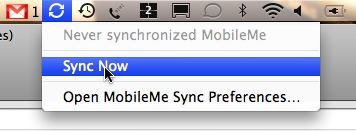

Ectoscreensnapz001

Presto! Data in three places. Then I manually sync the G1 (settings -> Data Syncronization, press the menu button, 'Sync Now') and the same data is now on the phone. Data now flows in all directions effortlessly. Eventually I'll figure out how to put a 'sync now' shortcut on the phone so I don't have to drill into the menu.


But there's always a catch. In this case, the catch is Instant Messenger. Well, it turns out (and I think it warns you) that if you delete a contact who is also an IM contact in either service, it deletes them from your IM. DOH! So now I don't have any of my gtalk or Yahoo IM contacts. Fortunately most of my IM is MSN or AIM. But still, not fun. Now I have to go back through my address book and look for yahoo and gtalk people, like Siva, Tariq or Dayton and re-add them to the corresponding client. If I had it all to do over, I would log into the native clients and try to export my IM contact list. Then again, maybe it's a good thing. I had a contact who I can't for the life of me remember why it's there. Well it's not there anymore...




Monday, January 12, 2009

Testing blogging from my g1

Wpid 1231810685146

In the google market place (which needs improvement) there is an app called wpToGo which is supposed to allow blogging from your android handset. So I thought I'd give it a shot. The keyboard on the G1 is pretty bad for the kind of stuff, esp with my big thumbs.

Not sure I'll ever use it again, but its nice to have. It will even let you upload a picture, which could be fun. The picture I posted is of Renee at the nation building museum with her classmates.

Tuesday, December 23, 2008

Work fun and Trusted SSL, aka Quis custodiet ipsos custodes...

Some very 'fun' stuff going on these days. So at my current gig they had previously banned all external email access and instant messenger clients. No big deal for me because I can IM/E-Mail on my phone. The Websense proxy also blocks suspicious and 'against policy' websites. It's a security policy thing more than an HR thing. The client, when I was an employee, had a rash of virus outbreaks. And the 'core server network' was unprotected from the general population and the remote sites were unprotected from each other. It's pretty common, in my experience, for companies to work this way.


A week or so ago, they opened Websense up to specific external email sites. The rational was sound. Hotmail, Yahoo, GMail, they all have built in AV tech now, so it's relatively safe. Anything that gets by them is going to get by our Ironport mail gateways (Ironport rocks, by the way... If you want an email filtering solution, I'd recommend them). Well, this week they've had another virus outbreak inside the perimeter. So the loosen the reigns and get burned.... It's been a debacle tracking it down. Not sure if it's a virus/worm/trojan, I'm on the outside, the SRT tech-bridge is still on going. All of this and people are already on vacation, the staffing levels are low to begin with.


Anyway, on to the other topic. Here's an interesting observation by one of the guys at Startcom Linux. The Mozilla folks had a bug submitted because mozilla was complaining that all the sites had bad SSL certs. The helpful folks at bugzilla dug a bit and found out the bug-reporter was getting man-in-the-middle attacked... Over SSL... So it really wasn't a bug, Mozilla/Firefox was correctly saying things were fishy. Well the blogger from startcom linux (can't figure out what his/her name is) found out that some of the 'trusted SSL providers' are not to be trusted. One of Comodo's resellers issued him a mozilla.com certificate with out asking any questions if he was legit or not (he's not). So now he could set up a MitM attack and not set of the SSL cert error alarm. Now the SSL cert wouldn't be the official one, but it would be encrypted. So it would look secure, but it would be 'locked' with a different lock, a lock that your browser trusts. Because browsers have a basic list of trusted providers, any cert generated by one of those providers is assumed to be legit. The browsers (and by proxy, Mozilla, Microsoft and Apple) that the cert providers on their 'approved list' are verifying the people they hand out certificates to in some fashion. Who watches the watchmen? With this breach in the web of trust, all trust becomes suspect. How do you really know with out verifying the trust on the other end of the SSL connection yourself? How on earth would you ask some one at Bank Of America if this SSL certificate was the real certificate? And the web of trust was supposed to protect me from this.


Anyway, it brings to mind the cyber-crime of the century. In the summer you start infecting machines and inserting your proxy for amazon.com into machines and then cleaning up the traces of the infection. So you clean your tracks and the person is none the wiser. You just sit and wait. Wait until the busy holiday shopping season. Then you quietly intercept the credit card numbers, dates and SVNs. And still you wait. Then slowly, you clone that information onto new cards. And then you go on shopping spree after shopping spree. You also take out your list of enemies and send them a plasma TV or two, to their real address with their real name. You do it slowly and cautiously so they never put it together that all the cards in common came from Amazon between the summer and xmas. Or perhaps instead of Amazon, you take advantage of the heavily consolidated American banking industry and siphon the money right out of their accounts. All of the pieces are there. Laundering the money would probably be your toughest hurdle, and even that's not too hard. Scary stuff.